
Ship Loadouts, a Hangar, and a Rock Breaking Calculator
A ship loadout builder, a personal fleet, an org roster, and a mining calculator that answers the only question that matters at the moment you are pointed at a rock. All of it free, on every tier.
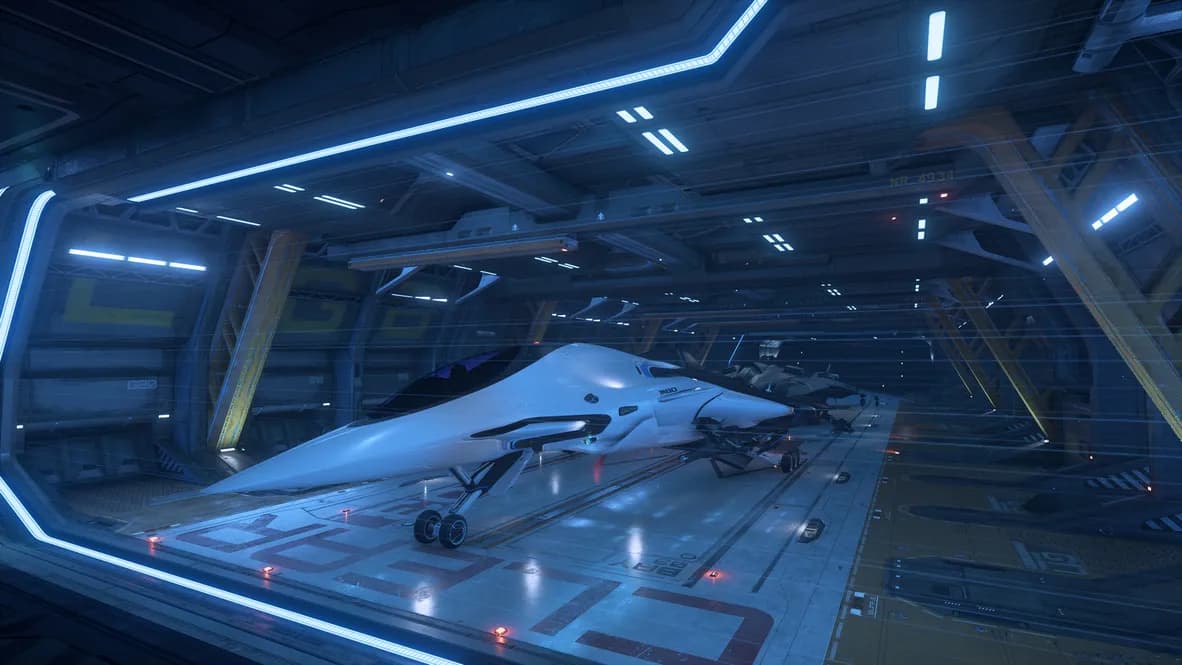
There is a particular ritual that precedes buying a ship component in Star Citizen. You open a loadout site. You open a second loadout site, because the first one now uses an unfathomable layout that seems to fight you at every turn. You open the wiki. You open a spreadsheet you made in June and no longer trust. Somewhere in the sixth tab a man with a headset microphone is explaining that your Asgard build is garbage because of the new PTU weapons balance.
I've been getting a lot more hands-on with the data.p4k, and so now, Hangarworks has a Hangar, and the point of it is that everything can happen in one place, against the game's own data, next to the crafting tools you were already using. Maybe. Possibly, if you're reading this post, anyway.
What is in it?
272 ships and 2,170 components, read out of the game files as of build 4.10.1, so the numbers are the ones the game is using rather than a transcription of a patch note or scraped from someone else's data. Pick a ship, open a slot, and every part that physically fits is there with its stats, sorted, filterable, and refusing to let you mount a size 5 shield in a size 3 hole.
The stats panel does the math. Not just the headline numbers either: the sustained DPS model accounts for heat cycles and capacitor refill rather than multiplying alpha damage by rate of fire and calling it a day, a shortcut that flatters energy weapons enormously and then disappoints you in a fight.
That calculation is checked against a shared file of known-correct results on every build. If mobile builds ever disagrees with the website about a ship's DPS, the build fails before either of them reaches you.
Beyond building one ship:
- The hangar keeps your builds. They sync live, so a change made on the desktop is on the phone before you have put the phone down.
- Org roster shows what the org can actually field, which is a different question from what the org owns.
- Share link encodes an entire build into a URL. No account, no database, nothing stored anywhere: the build is the link, and anybody who opens it gets your exact configuration.
- Shopping list works out the fewest shops that between them sell every part you picked, because the alternative is four stops across two systems to buy three coolers.
- Plan this build hands the parts to the Planner as a crafting plan, which is the join between the Hangar and everything Hangarworks already did.
Saved builds are called builds. Not loadouts. I am aware of what everyone calls them and I am holding the line, because "loadout" already means a kit of armor and weapons and we have quite enough overloaded words.
All of it is free, as everyone expects these days.
Breaker Station
Mining has one moment that matters, and it arrives about four seconds after the scan comes back. You are looking at a rock. The rock has a mass, a resistance and an instability. You have a ship with lasers and modules on it. The question is: can I break this solo, should I call in friends to crew my Mole, or am I dejectedly moving on to the next rock?
Are there other tools for this? Yep. Absolutely. But I want to make a tool that doesn't require me to have thirteen tabs open with favicons so small that I look like the Ben Chang Community gif.
So: type the three numbers off your scanner. The rock breaker takes your actual build, with your actual heads and modules, and answers in three words. Cracks it. Cracks, just. Too big.
It also tells you how the rock will behave once you start, because breaking it and controlling it are different problems. That readout is a word rather than a number: steady, lively, jumpy or wild. You already know which of those means "bring a friend".
Two details worth having:
It knows about active modules, and whether you have turned them on. A module that only works while firing is not the same as one that works all the time, and the difference decides marginal rocks.
If your build cannot crack the rock, it checks all six mining gadgets and tells you whether one of them would. That is the decision at the rock face, and it is now a line of text instead of a guess.
There is also a chart of every rock your build cracks across the resistance range, with the stock ship drawn behind yours, so you can see what your modules actually bought you.
It sits in the Hangar, and there is a way in from Crafting under Resources, which lists the mining ships you have saved and opens each one with the calculator already up.
If you fly one of those and you have ever guessed at a rock, this is the feature, and it lives inside an app that can be on a second screen for anyone with a phone. Which is everyone, I'm assuming. Right?